Logging
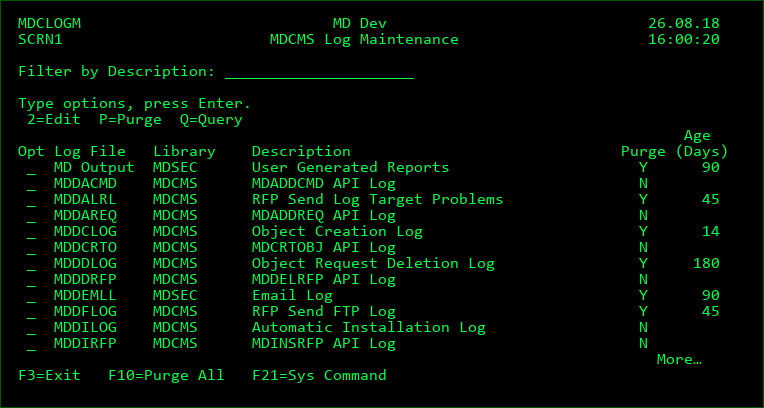
The Logging list (Setup Menu option 14) provides an overview of all log files that are written by the MD products.
Options
2=Edit - edit the Purge settings for the Log File
P=Purge - immediately delete all log records for the Log File that are older than the defined number of days
Q=Query - view the current contents of the log
Purge Records
Y - automatically delete all log records that are older than the minimum age for the Log File. The automatic purge occurs during the first RFP to run for a particular day. Purging doesn't occur on days that an RFP doesn't run.
N - retain the log records indefinitely, or until a manual purge occurs from this screen
Minimum Age before Purge
The number of days that must pass since the creation of a log record before it is allowed to be deleted.