Add Object to Promotion
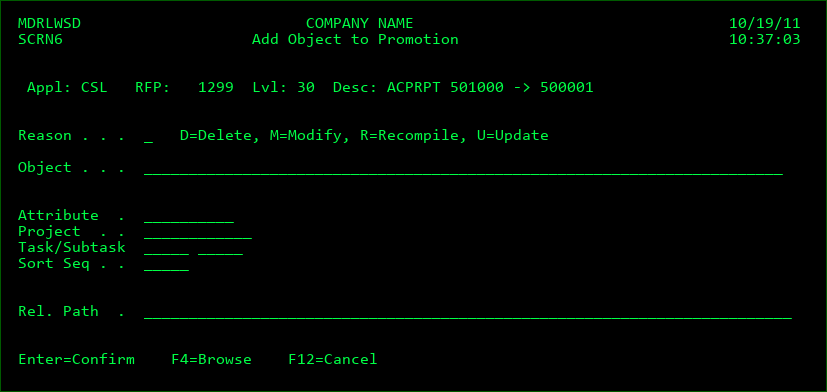
An object may be selected to be sent to a remote system without the prerequisite that the object is first promoted. Press F6=Add from the Promotion Objects display to add an object to an existing promotion package. This display will also be shown after a promotion is manually added.
Enter the reason, object name, object (or source) attribute and Project ID. Press F4=Browse to browse the list of objects, attributes, or projects. If the attribute is left blank, MDCMS will assign the last used attribute for the object.
Press Enter once the information is entered