Object Listing
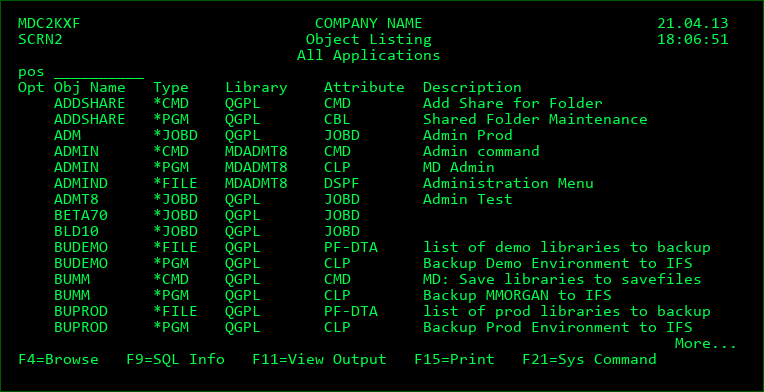
This screen displays all objects that match the filters entered in the Search Screen. This list is sorted by Object Name, Object Type and Library. If the listing is for a specific application and level, the library sorting is based on the sort sequence for the library list, otherwise, it is based on the alphanumeric value of the library name.
pos
Enter a value at this prompt to position the listing to the first object name that is >= the position value.
Opt
Placing a valid value in the option field to the left of an object will result in an analysis display for that object. The possible values available are based on the type and attribute of the object. Press F4 when the cursor is placed on the Opt field in front of the appropriate object in order to view all possible options for that object.
F9=SQL Info / Obj Info
Pressing F9 toggles the view between system information and SQL information. When in SQL mode, the SQL type and SQL name are shown instead of the Object Type and Object Description.