Reporting
Reports (MD Output) generated within MDSEC, MDXREF and MDCMS can be viewed, printed, exported or emailed by pressing F11 from most screens.
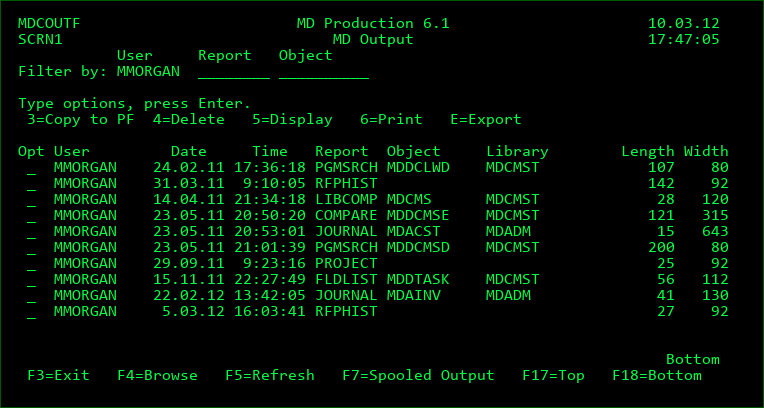
Filters
Enter a value into a filter field to limit the listing to items matching the filter(s). Possible values may be selected by pressing F4=Browse while the cursor is positioned on the filter field.
Options
3=Copy to PF - Copy the detail contents of the report into a formatted table (DDS Physical File). This provides a simple means to extract information out of the MD database for use in SQL, Queries or programs.
4=Delete - permanently delete the report
5=Display - view the report contents directly in the screen
6=Print - print the report contents to a spooled file
E=Export - Export the report to a CSV, PDF, TXT or XLSX formatted file. The file can be placed in IFS or emailed to one or more recipients. See the parameters for command MDRUNRPT for more information.
Function Keys:
F4=Browse - Browse possible values for a filter field
F5=Refresh
F7=Spooled Output - Display and manage spooled files
F17=Top - Position Cursor to the first entry in the list
F18=Bottom - Position Cursor to the last entry in the list