MDiQ Repository Build and Update Commands
MDVBUILD - Build Repository
Builds or rebuilds a repository and generates repository metadata required for analysis, dependency tracking, and visualizations.
During the build process, source code is parsed and repository information is generated, including: - Programs, modules, and database objects - Variable references - File field mappings - Procedure parameters - Object relationships and dependencies
The command can execute either interactively or as a submitted batch job.
Parameter Definitions:
| Parameter | Description |
|---|---|
| REPLIB | Repository name to build. |
| BACKUPLIB | Name assigned to the backup repository created before the build starts. |
| BACKUPDESC | Description text assigned to the backup repository. |
| SUBMBATCH | Controls whether the build runs as a submitted job or interactively. Valid values: Y = Submit build job (Default) N = Build interactively |
Examples:
Build Repository: 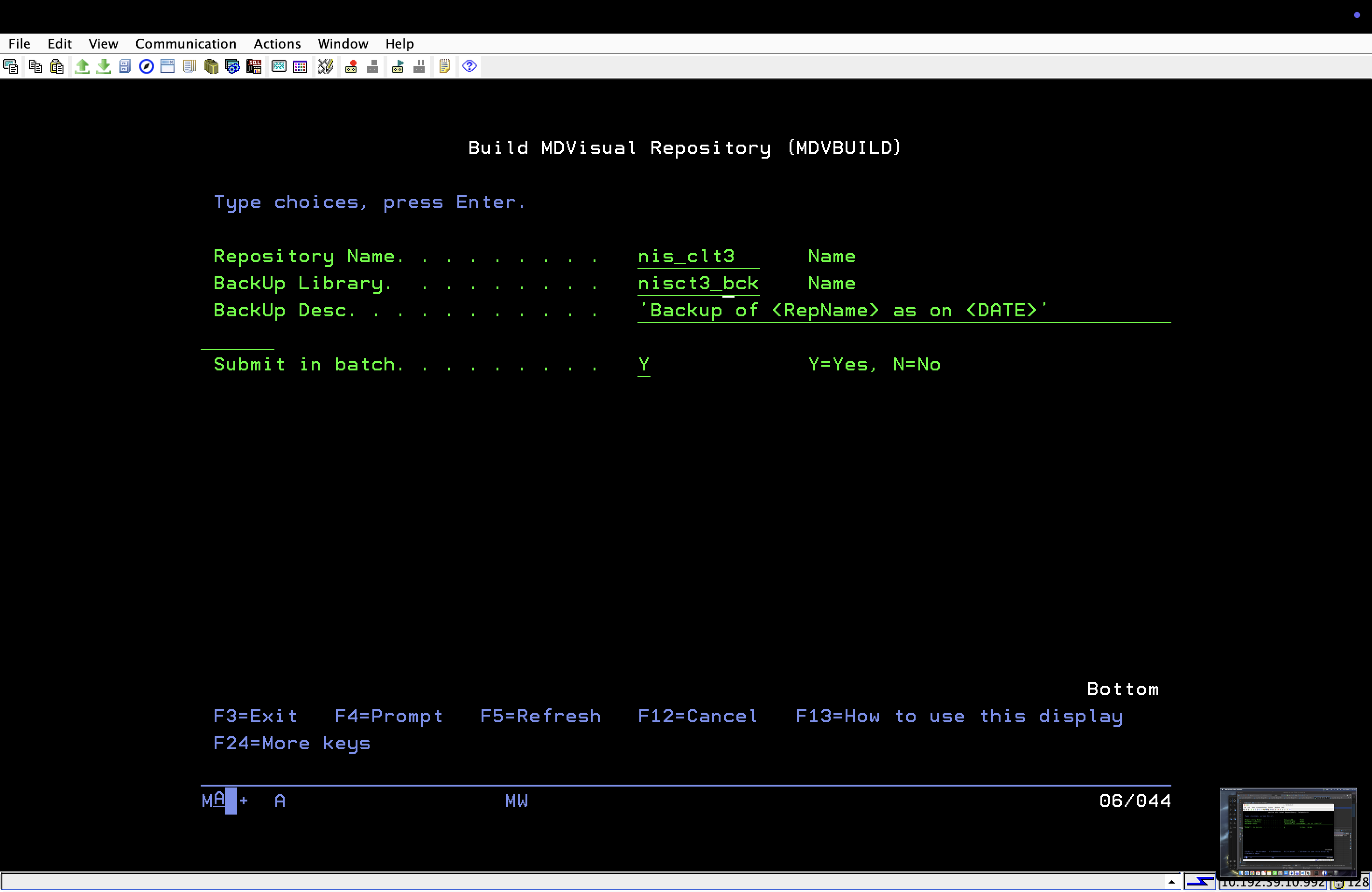
MDVREFOBJ - Repository Source/Object Update
Updates repository information for a selected object or source member without rebuilding the entire repository.
This command is intended for incremental repository updates after source or object changes.
Repository updates can be performed using: - IBM i Objects - Source members from libraries - Source files located in IFS
Supported actions: - Add components - Update existing components - Delete components from repository
Parameter Definitions:
| Parameter | Description |
|---|---|
| REPNAME | Repository to update. |
| COMPTYPE | Defines whether the update is based on an object or source member. O = Object (Default) S = Source Member |
| SRCLOC | Source location when COMPTYPE(S) is selected.L = Library (Default) I = IFS File |
| OBJNAME | Object name and library to update when COMPTYPE(O) is selected. |
| OBJTYPE | IBM i object type (for example *PGM, *FILE, *MODULE). |
| SRCMBR | Source member to update when using library-based source selection. |
| SRCFILE | Source file and library containing the source member. |
| IFSFILE | Full IFS path of the source file when SRCLOC(I) is selected. |
| ACTION | Repository action to perform. *ADD = Add component *CHANGE = Update existing component (Default) *DELETE = Remove component |
Examples:
Update repository using an object: 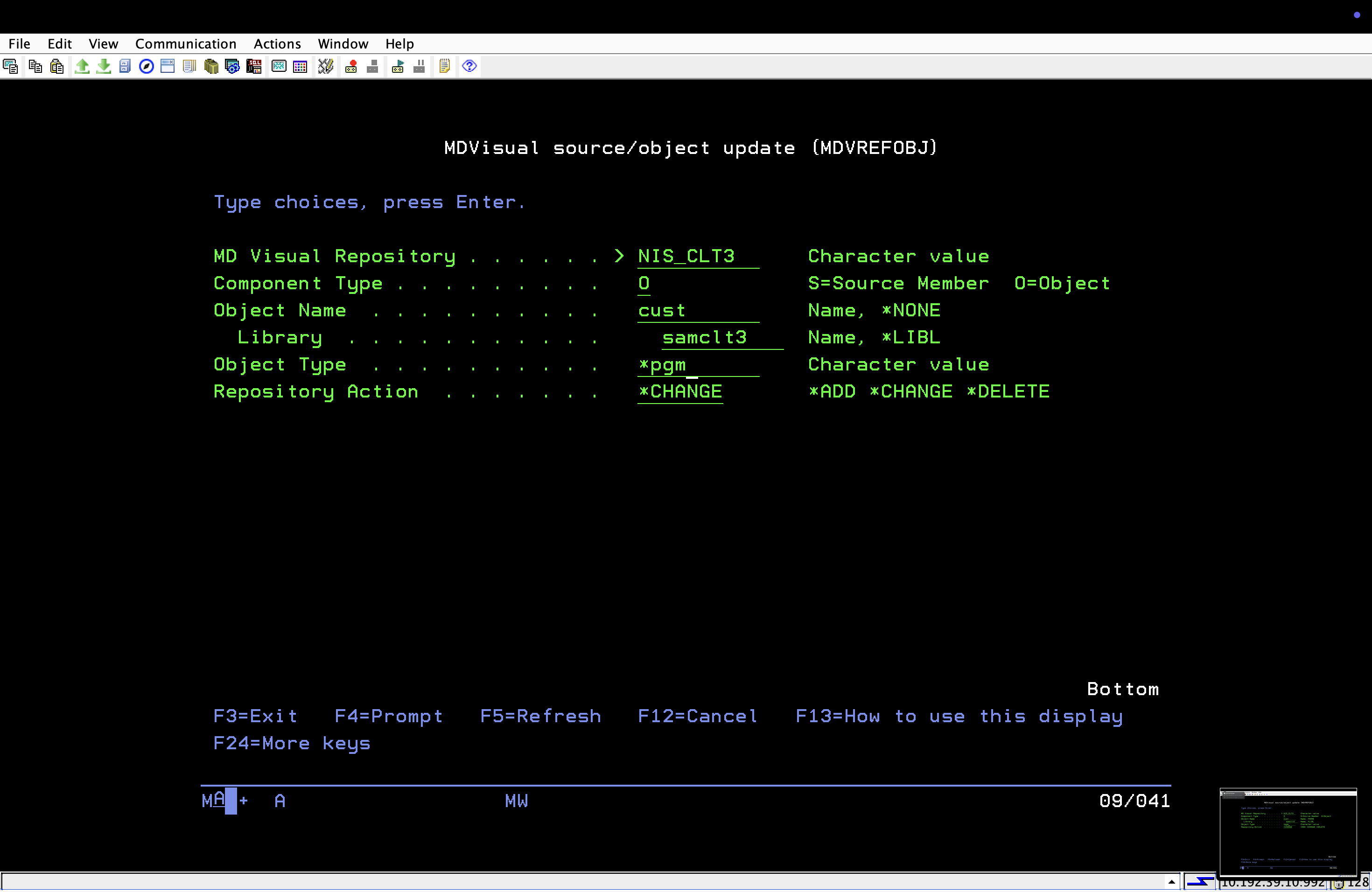
Update repository using source member from library: 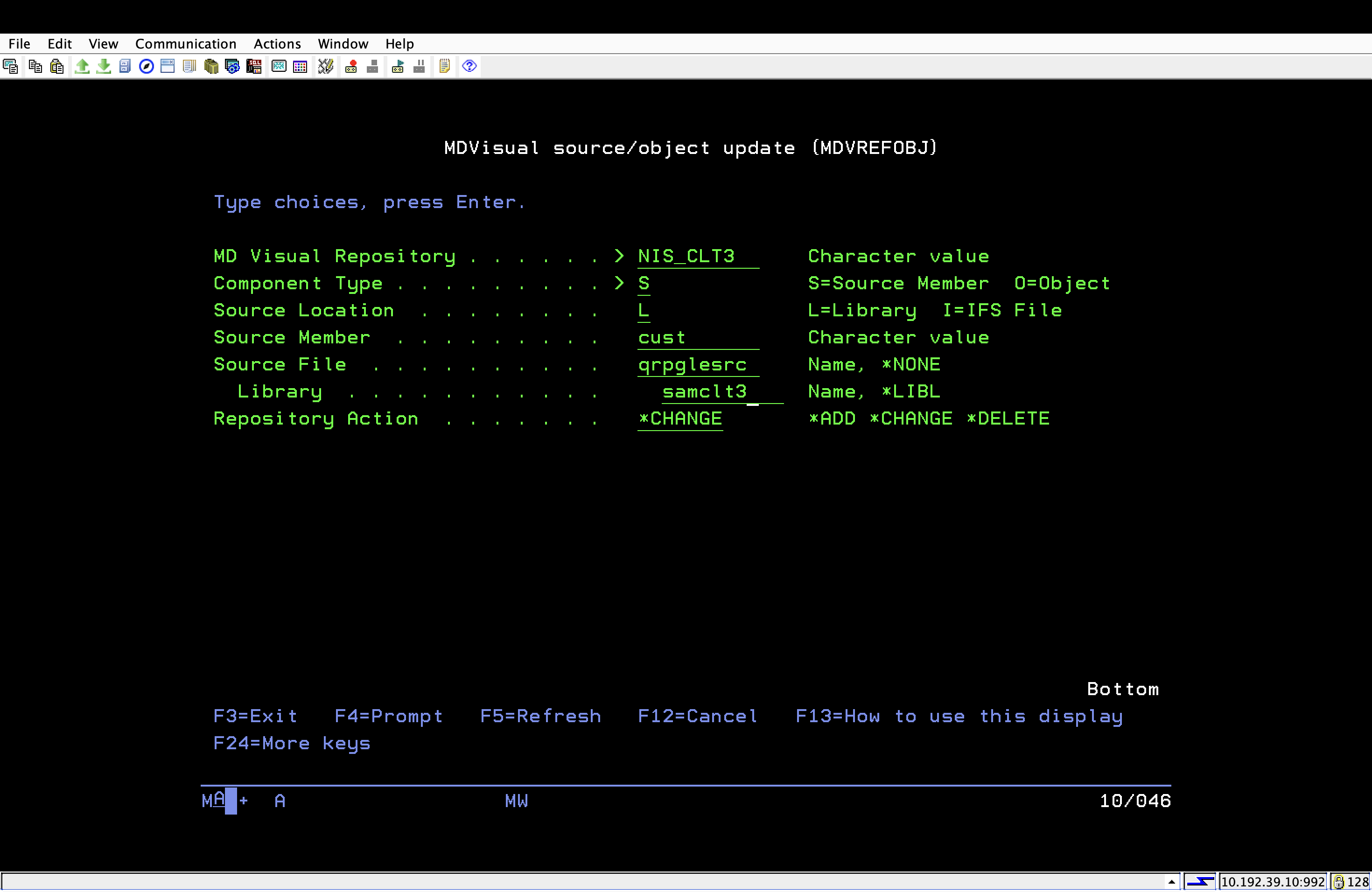
Update repository using source from IFS: 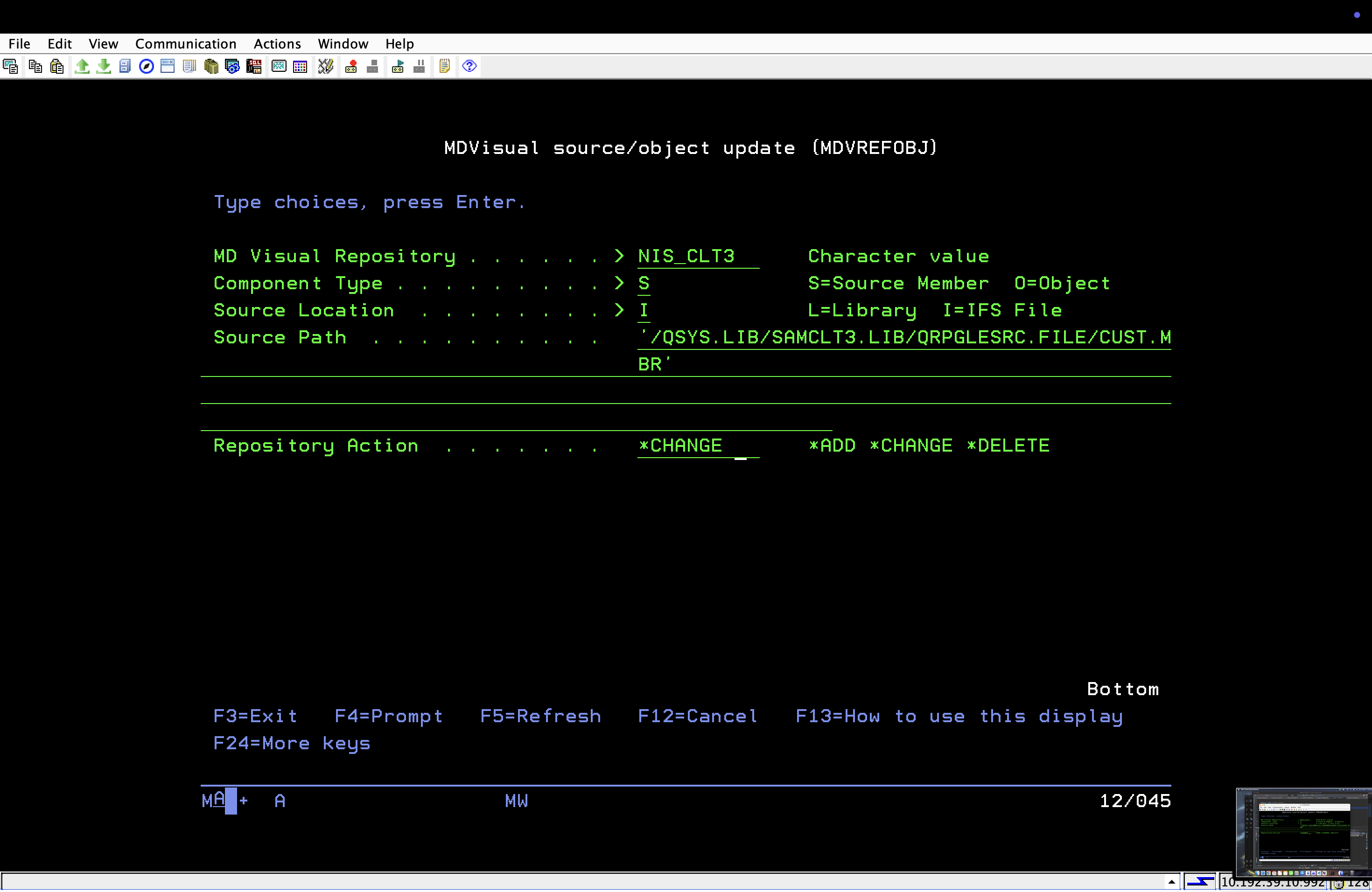
Usage Guidance
| Scenario | Command |
|---|---|
| Build a complete repository | MDVBUILD |
| Rebuild repository after major changes | MDVBUILD |
| Refresh one object | MDVREFOBJ |
| Refresh one source member | MDVREFOBJ |
| Update source from IFS | MDVREFOBJ |
## MDVRAUTOB - Repository Lookup Program
MDVRAUTOB is a supporting program used by MDCMS to determine which MDiQ repositories are built over a specific library or IFS folder.
It receives a path and type, joins MDVDREPL to MDVDREPD, and returns the repository names whose library or folder matches. Repositories where MDVDREPD.AUTOBLD = N are excluded. The default value of AUTOBLD is blank or Y, and those repositories are included.
MDVRAUTOB does not build or update repositories. The returned repository names can be used by MDCMS when determining which repositories need to be updated through MDVREFOBJ.